

TL;DR
- Logistics companies lose time and money every day due to manual document processing and email chaos.
- We have developed an AI document processing system that automatically structures CMRs, invoices, and other documents.
- The result is faster processes, fewer errors, and the ability to grow without expanding administration.
Introduction
Logistics companies deal with huge amounts of paperwork every day. Each shipment generates CMR documents, invoices, waybills, certificates, additional instructions, and dozens of emails. Most of this work is still done manually—copying, checking, and transferring information between different systems and people.
It is in this context that an AI-driven document processing system was born, with the aim of automating document flow, reducing the risk of errors, and giving managers a realistic picture of what is actually happening in operations.
The reality of logistics documents: many formats, one problem
While the systems show that everything is fine, in reality, trucks are standing idle, employees are waiting, and errors are discovered too late.
The daily reality looks like this:
CMRs, packing lists, purchase orders, Excel files, PDF documents, photos from phones, and emails from different sources.
An important fact that is often ignored: about 70% of orders in logistics still arrive via email, rather than via API or direct system integrations. This means that a large part of the work remains “outside the systems.”
Documents:
- arrive in different formats;
- have different structures;
- are often incomplete or contain additional comments in the text.
All of this requires manual intervention.
Where do errors and delays begin?
According to the project analysis, 20–40% of all logistics errors occur during the document intake stage. The most common causes are:
- duplicate documents;
- incorrect SKU linking;
- forgotten or lost instructions;
- special delivery notes left in the text of the email.
Practical consequences:
- preparation of a single shipment takes 8–15 minutes;
- discrepancies only become apparent at the warehouse ramp;
- drivers wait, and downtime increases;
- actual costs arise too late to be avoided.
Why can’t managers see the real situation?
The biggest problem is not the documents themselves, but the invisible workload.
Email is becoming the primary work tool, but:
- WMS does not see what is happening in emails;
- ERP does not see queries or corrections;
- shift managers do not see what is causing delays.
As a result, managers do not see:
- where working hours are lost;
- what is slowing down the ramps;
- where errors and damage costs occur.
Decisions are made based on feelings rather than data.
AI document processing system: how does it work in reality?
To solve the chaos of logistics documents, we have created an AI document processing system that automates the entire document flow – from receipt to structured data ready for use with other systems.
The first step is document scanning. The system automatically accepts CMR documents, invoices, waybills, certificates, and additional inquiries, which usually arrive by email. AI is able to recognize the necessary fields even when documents are photographed with a phone, scanned in poor quality, or filled out by hand – which is how they most often reach logistics teams in real-life situations.
The extracted information is immediately structured in a unified system. Users see clearly formatted shipment data: sender and recipient, cargo parameters, document status, and information required for accounting. This allows you to work with real, reliable data rather than separate PDFs or emails.
The system was designed to integrate seamlessly with existing business systems. It supports integrations with warehouse management (WMS), transport management (TMS), accounting programs, and CRM or internal portals. This means that document automation does not become another isolated system, but organically blends into existing processes.
Automated workflows continue to operate. Documents are automatically assigned to specific shipments, customers are notified of status changes, accounting data is prepared without additional manual work, and the system itself flags missing or incorrect data before it becomes a problem on the ramp.
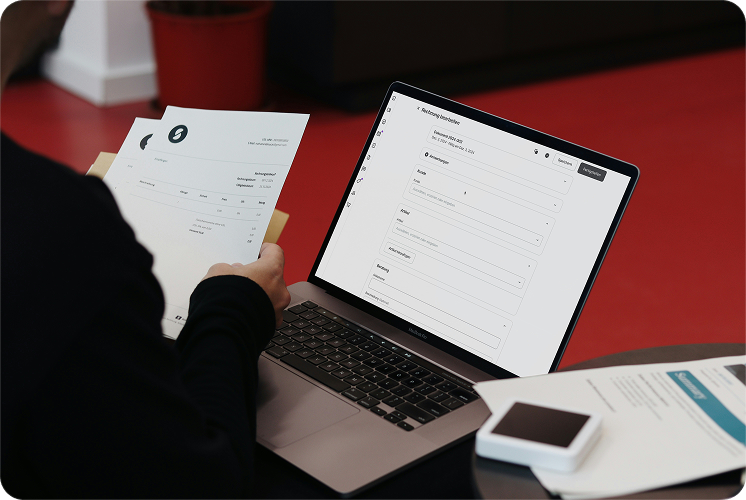
All of this is combined in a clear user interface. In a single window, employees can see received and processed documents, pending tasks, possible causes of errors, and the entire shipment history. Instead of fragmented work between email, Excel, and multiple systems, the entire operational reality becomes visible in one place.
What does this change for businesses?
Although the system is still being developed and tested, its clear value is already apparent:
- document processing time has been reduced from minutes to seconds;
- manual data entry has been reduced by more than 70%;
- human errors have been significantly reduced;
- all documents are now visible in one place, rather than in email inboxes.
Most importantly, the company has gained the opportunity to grow without expanding its administrative team, as processes have become manageable rather than chaotic.
Frequently asked questions
Frequently asked questions about AI document automation in logistics
1. Does this system replace our WMS or ERP?
No. The system acts as an intermediate document processing layer – it collects, structures, and prepares data, which is then transferred to existing systems (WMS, TMS, accounting).
2. Can AI reliably process scanned or photographed documents?
Yes. The system recognizes documents even when they are photographed with a phone, scanned, or filled out by hand, and structures the information into clear fields.
3. How long does it take to start using such a system?
The first results are visible within a few days, as the system is trained using real company documents and processes. There is no need to change the entire IT infrastructure.
4. Does the system reduce human error?
Yes. Automated data collection and checks reduce duplicates, missing fields, and incorrect information before the operational stages.
5. Who is this system most suitable for?
Logistics, transport, and warehousing companies that:
- work with large document flows,
- receive a lot of information by email,
- want to grow without expanding their administrative team.